Quick answer: what actually prevents laptop theft?
The best “laptop theft prevention” program combines deterrence (policies + training), resilience (encryption + access control), and recovery support (audit logs + last-known location history). Tools matter — but the workflow matters more.
- Prevention: inventory, encryption, strong auth, physical policy
- Detection: alerts, unusual location changes, device activity signals
- Response: account lock, incident report, evidence exports
Prevention layers (what matters most)
Laptop theft prevention is not a single feature. High-performing IT teams treat it like a layered security model:
1) Inventory & asset tracking
- Device ownership records (who has what)
- Asset tags / device identifiers
- Lifecycle tracking (issued, replaced, retired)
2) Encryption & data protection
- Full-disk encryption
- Protected credentials and secrets
- DLP policies where needed
3) Access controls
- Strong authentication (MFA)
- Session control and rapid revocation
- Least-privilege permissions
4) Alerts & anomaly signals
- Unusual location changes (city/country hops)
- Unexpected activity hours
- High-risk policy events
Feature checklist: what to look for in laptop theft prevention software
If you’re evaluating software, use this checklist. It’s designed for security buyers who need an audit-friendly workflow, not marketing claims.
- Asset visibility: per-device inventory and owner mapping
- Activity timeline: timestamps and device activity history
- Last-known device location: city-level history for recovery support
- Audit logs: who accessed what data, and when
- Exportability: CSV/PDF-style evidence for incident tickets
- Access control: role-based admin permissions
- Security add-ons: policy monitoring and DLP (device loss prevention)
- Privacy controls: minimization (no live GPS by default), clear policy alignment
- Retention controls: auto-delete older history (30/60/90 days)
The role of last-known location in recovery & reporting
Location features are often misunderstood. For many organizations, the most defensible and useful approach is last-known device location (city-level), not live GPS.
- Recovery support: narrows investigations to a region/city + last activity time
- Reporting: provides evidence for incident tickets and insurance documentation
- Audit readiness: creates a timeline of “where was this device used” without live tracking
MonitUp stack: Location Tracker + Security/DLP + audit exports
MonitUp is built for operational security and audit-friendly workflows — especially for Windows teams that need a clear, privacy-first approach.
Location Tracker
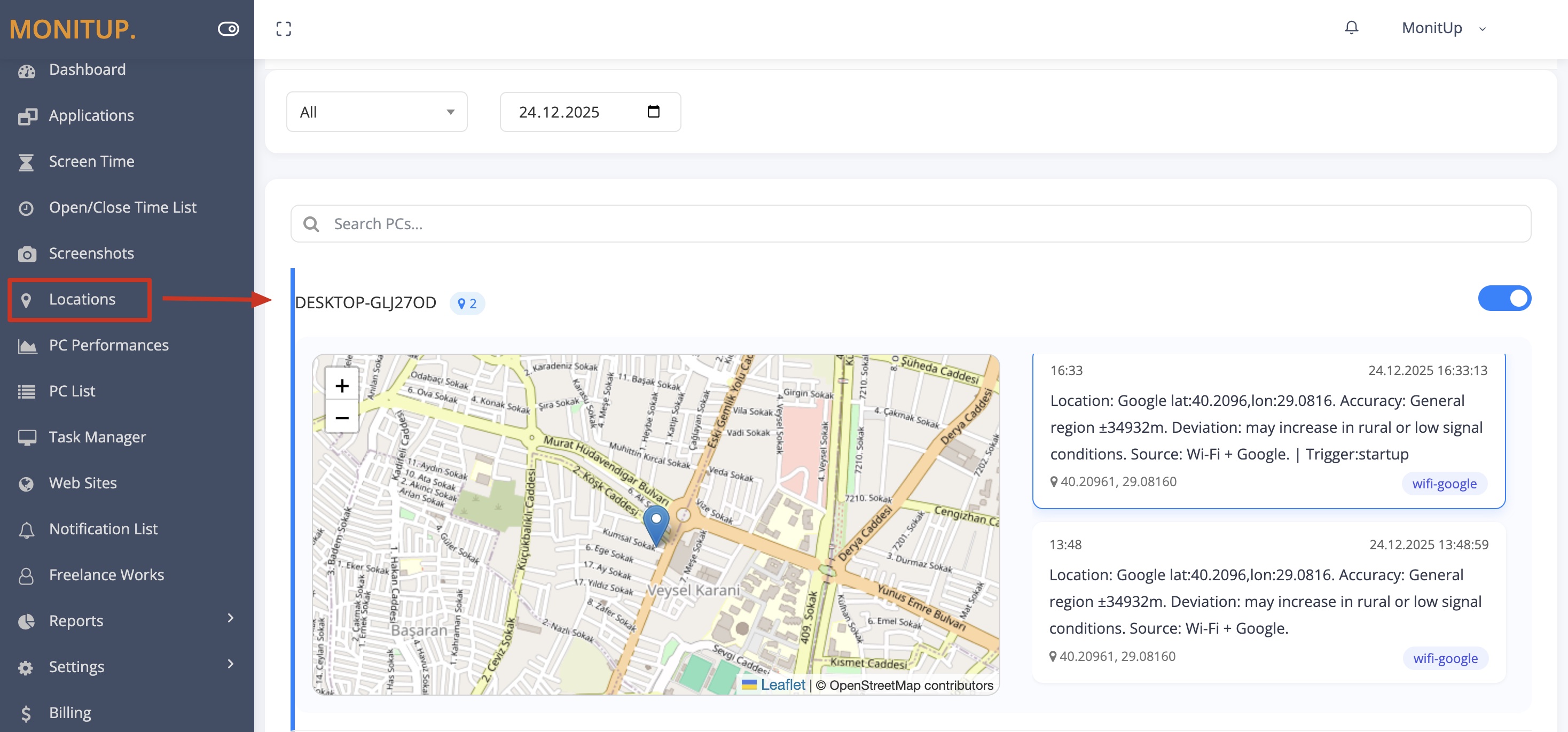
City-level last-known device location and location history for recovery support and audits. See Location Tracker.
Security & DLP
Policy monitoring and data protection controls to reduce device loss impact. See Security & DLP.
Audit exports
Exportable records (e.g., CSV) to document incidents and compliance activities. Build a clear timeline without guesswork.
Privacy-first controls
Minimize granularity, restrict admin access, and align with internal workplace policy. See: Privacy & Compliance guide.
Recovery workflow (what IT should do after a device is stolen)
Even the best prevention program needs a fast response plan. Here’s a practical sequence:
- Identify the device (asset tag, user, device ID).
- Check last-known city + timestamp and review location history.
- Secure accounts (reset passwords, revoke sessions, rotate tokens).
- Document the timeline in your incident ticket.
- Export evidence (location + logs) for audits/insurance where applicable.
For a deeper incident walkthrough, read: Track a Stolen Laptop (Without GPS).
FAQ
What is the best laptop theft prevention software?
The “best” solution depends on your environment, but strong options share a common baseline: inventory + encryption + access controls + audit logs + exportable evidence. If theft recovery and reporting matter, choose a tool that supports last-known device location history.
How do companies prevent laptop theft?
Companies prevent theft by combining physical policy (training, safe handling) with technical controls (encryption, MFA, session control), plus operational visibility (inventory and last-known device location for incident workflows).
What should IT do after a device is stolen?
Confirm device identity, check last-known activity/location, lock accounts, document the timeline, and export evidence for your incident process. See the recovery workflow above.
Does location tracking help insurance claims?
It can help by providing a clear incident timeline (last-known city and timestamp). Requirements vary by insurer and jurisdiction. Use privacy-first, auditable records rather than invasive tracking.