Quick definition: what is “employee location tracking”?
Employee location tracking is any process that records where an employee (or their work device) is located. This can range from live GPS to city-level “last-known device location” based on network signals. The privacy impact depends on granularity (street vs city), frequency (live vs periodic), and purpose.
- High sensitivity: live GPS, background movement tracking, precise addresses
- Lower sensitivity: city-level last-known device location for security/audit purposes
- Best practice: collect the minimum needed, be transparent, and keep access auditable
What counts as location tracking (GPS vs city-level)
Not all “location tracking” is the same. The biggest difference is whether you track a person’s movements in real time, or record a device’s last-known city-level location when it is active.
Live GPS tracking (high risk)
- Real-time or continuous tracking
- Street-level precision
- Potentially reveals sensitive personal patterns
- Often requires strict justification and safeguards
Last-known device location (privacy-balanced)
- Records where a work device was last active
- Typically city/region-level granularity
- Useful for security, audits, stolen devices, asset management
- Can be implemented with opt-in and audit logging
Legal & ethical checklist (privacy-first)
Laws vary (GDPR, CCPA/CPRA, and local equivalents such as PDPL/KVKK), but privacy-first programs usually share the same fundamentals. Use this checklist as a starting point:
- Clear purpose: define why you need location data (security, asset protection, compliance, audits).
- Proportionality: avoid collecting more detail/frequency than the purpose requires.
- Transparency: inform employees what is collected, when, and who can access it.
- Choice & controls: use opt-in where appropriate; allow feature-level enable/disable per org.
- Data minimization: choose city-level over street-level when possible.
- Retention limits: keep location history only as long as needed (e.g., 30–90 days).
- Access governance: role-based access and audit logs for every admin view/export.
- Security measures: encrypt at rest/in transit, and limit exports.
- Employee rights process: define how employees can request information or raise concerns.
Workplace policy template outline (what to include)
If you only copy one thing from this article, copy this: a policy should be written like a FAQ. Short, concrete, and easy to understand.
Policy outline (starter template)
- What is being collected? (e.g., last-known device city, timestamp, device ID)
- What is NOT collected? (no live GPS, no personal off-hours surveillance, no precise address)
- Why is it collected? (security incidents, audits, asset protection, compliance)
- When is it collected? (on boot / periodic intervals when the device is active)
- Who can access it? (roles, approvals, least privilege)
- How long is it retained? (e.g., 30 days, or a defined retention window)
- How is it protected? (encryption, audit logs, export controls)
- Employee notice/acknowledgment (how employees are informed; consent/notice where required)
- Contact for questions (DPO/HR/IT security contact)
How to keep it privacy-first (opt-in, audit logs, role-based access)
Privacy-first is not a slogan — it’s a set of product and process controls. Here are the safeguards that make location tracking safer:
- Opt-in enablement: feature disabled by default; turn on per organization when policy is ready.
- Least privilege: only designated roles can view location history.
- Audit logs: record every admin access and export action.
- Granularity control: prefer city-level signals over street-level GPS.
- Retention window: automatically delete older records.
- Security pairing: combine with incident response controls (account lock, alerts).
What MonitUp collects / doesn’t collect
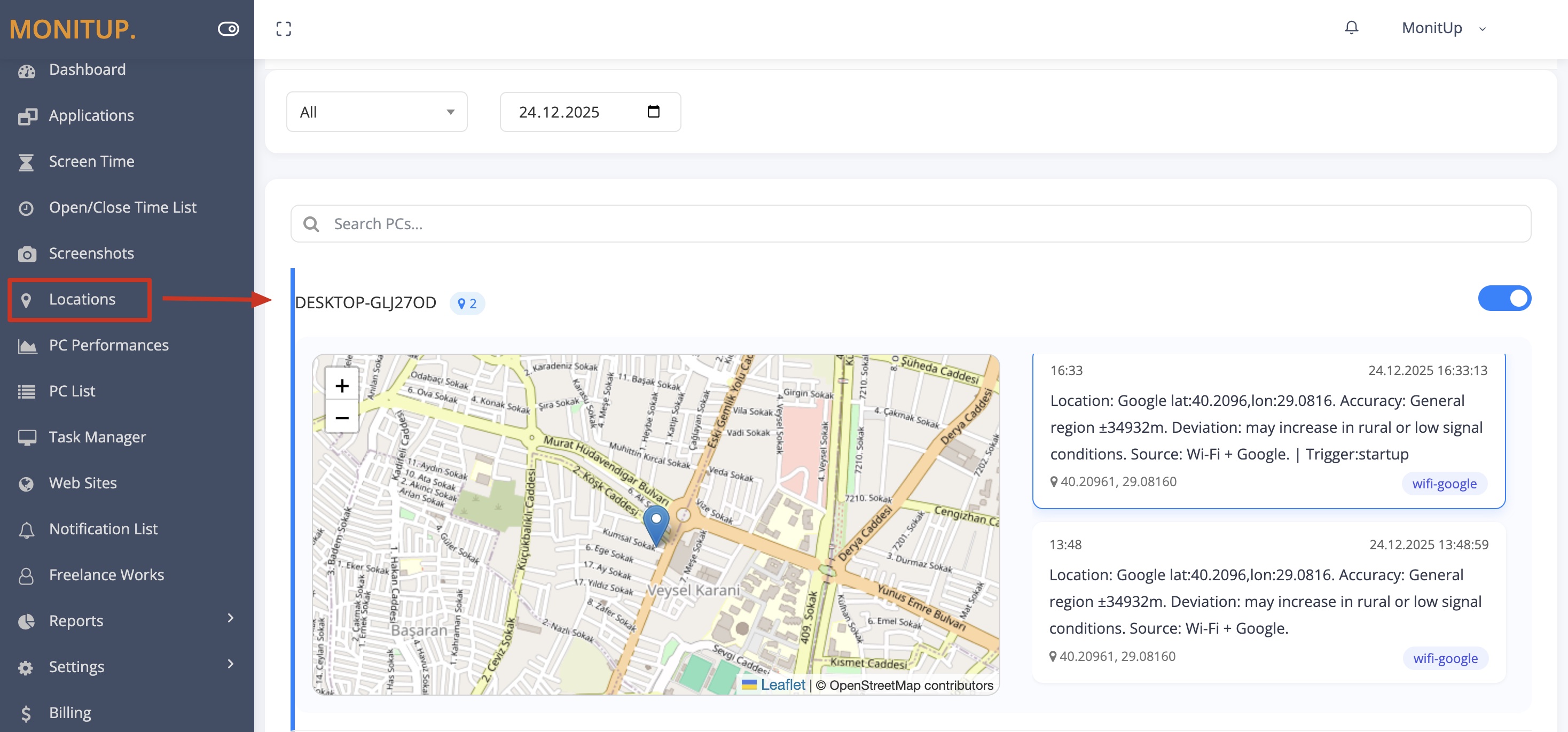
A simple “collects vs doesn’t collect” table removes confusion and reduces employee anxiety. Here’s the clear version:
| MonitUp Location Tracker | Notes |
|---|---|
| Collects: last-known city-level device location + timestamp | Designed for audits, security incidents, and asset visibility |
| Collects: device identifier linked to employee/asset | Supports investigation workflows and reporting |
| Doesn’t collect: live GPS tracking | No continuous “where is the employee right now” tracking |
| Doesn’t collect: exact street address location | City/region-level signals are the privacy-balanced default |
| Doesn’t collect: covert tracking without admin governance | Use role-based access, audit logs, and internal policy alignment |
Want the feature details? Location Tracker • For incident response controls: Security & DLP.
Safe rollout checklist (practical)
Here’s a practical rollout sequence that reduces compliance and culture risk:
- Write the policy (use the template above).
- Choose scope (who, which teams, what retention window).
- Enable opt-in per organization when HR/IT is aligned.
- Limit access to a small set of admin roles.
- Turn on audit logs and review access monthly.
- Communicate clearly (what it is / what it’s not).
FAQ
Is employee location tracking legal?
It depends on your jurisdiction, employment law, and how the feature is implemented. A privacy-first approach focuses on transparency, purpose limitation, minimization, and auditable access controls. This is not legal advice.
Do you need employee consent?
Requirements vary. The safest approach is clear notice, documented purpose, and appropriate controls (including opt-in where needed).
What should a workplace policy include?
At minimum: what is collected, what is not collected, the purpose, when data is collected, who can access it, retention rules, security safeguards, and how employees can ask questions or raise concerns.
What’s the privacy-friendly alternative to GPS?
City-level last-known device location recorded when a work laptop is active is often a more privacy-balanced alternative to live GPS, especially for security, audits, and lost/stolen device workflows.