Law Firm Employee Monitoring Software for Billable Hours, Privacy, and Better Oversight
MonitUp helps law firms track app usage, website activity, screenshots, work hours, and billable-time patterns across Windows computers without relying on invasive monitoring methods.
Designed for firms that need practical visibility into legal workflows, stronger internal review, and a rollout that respects employee trust and client confidentiality.
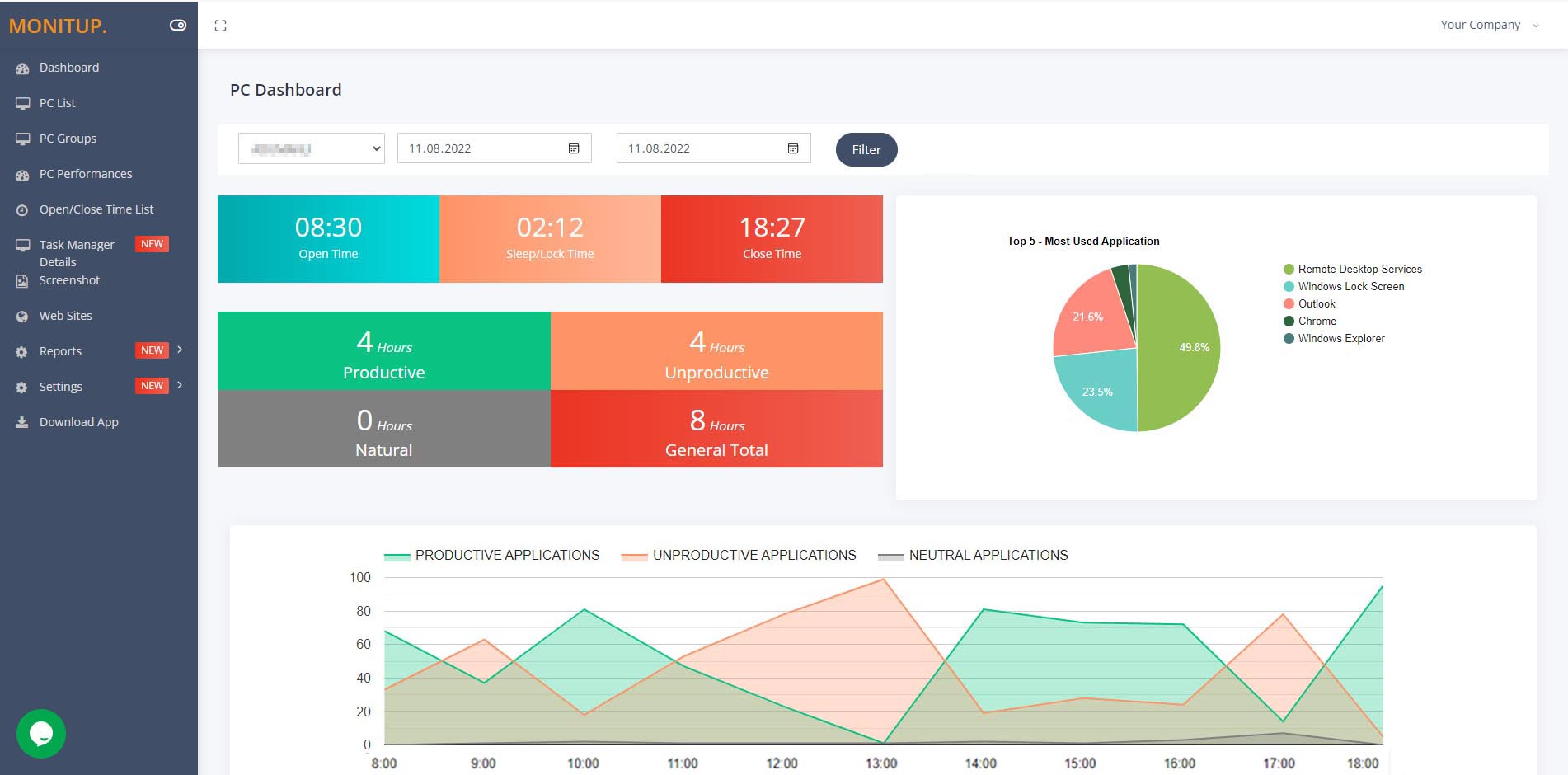
Built for sensitive legal workflows
Useful for firms that need more oversight over client-facing work without moving into keylogging or aggressive surveillance.
Stronger billable-time reviews
Review app usage, website activity, and work-time patterns when you need better evidence for internal time and productivity reviews.
Policy-first rollout
Clear notice, limited collection, and role-based visibility help firms introduce monitoring without harming trust.
Quick answer
- What it does: tracks app usage, websites, working hours, active/idle time, and optional screenshots on firm Windows devices.
- Who it is for: law firms, legal operations teams, partners, office managers, and practice admins who need more visibility into daily work patterns.
- Why firms use it: protect billable hours, review workflow bottlenecks, support confidentiality policies, and gain stronger evidence for internal reviews.
- What MonitUp avoids: keylogging-heavy monitoring and unnecessary collection that creates more risk than value.
Why law firms evaluate MonitUp
Law firms usually do not need generic surveillance software. They need enough visibility to protect billable work, review app and website activity, understand work-hour patterns, and reduce policy risk without exposing confidential material unnecessarily.
Review billable-hour patterns
See when work starts and ends, which applications dominate the day, and where time may be leaking into low-value or non-billable activity.
Track app and website usage
Understand which legal tools, office software, and websites are used throughout the day so managers can spot distractions, inefficiencies, or policy concerns faster.
Use screenshots carefully
Optional screenshots can provide context when time reports alone are not enough, without making screenshot capture the whole monitoring model.
Support privacy and confidentiality
Start with the minimum useful data, define access by role, and avoid high-risk monitoring approaches such as keylogging when legal confidentiality matters.
What firms usually want to know
The decision is rarely just about tracking employees. It is usually about balancing client confidentiality, partner oversight, legal operations efficiency, and clearer reporting.
| Question | What MonitUp helps with |
|---|---|
| Can we review billable-hour patterns more clearly? | Yes. Start/end times, application usage, websites, and activity trends help firms review how work time is actually spent. |
| Can we monitor without keylogging? | Yes. MonitUp focuses on app usage, websites, work-time signals, and optional screenshots rather than keylogging. |
| Can we support confidentiality and internal policy reviews? | Yes. Structured reporting can help firms review risky browsing, unusual work patterns, or policy-sensitive behavior with better context. |
| Do we have to use cloud only? | No. Firms with stronger infrastructure-control requirements can explore on-premise deployment options. |
| Will this feel too invasive for lawyers and staff? | That depends on rollout. The strongest approach is policy-first: clear notice, minimum useful data, and role-based access. |
How it works
Law firms usually want something practical: install on firm devices, review the right signals, and use reports for better decisions instead of guesswork.
Install on firm workstations
Deploy MonitUp on Windows devices used by lawyers, assistants, paralegals, and operations staff where visibility is needed.
Review the right signals
See app usage, websites, active/idle trends, working hours, and optional screenshots where extra context matters.
Use reports for coaching and oversight
Partners and office managers can review time patterns, workflow blockers, and billable-hour consistency without relying on assumptions.
Cloud or on-premise for law firms
Some firms want faster onboarding in the cloud. Others need stronger infrastructure control, internal IT review, or a more private deployment model.
| Deployment model | Best for | Main advantage |
|---|---|---|
| Cloud | Firms that want faster setup, simpler onboarding, and lighter internal overhead | Easy rollout and faster time to value |
| On-premise | Firms that need stronger infrastructure control, internal review, or private deployment requirements | More control over deployment and internal systems |
Law-firm ready pricing
MonitUp Premium is the plan most law firms evaluate when they need screenshots, stronger work-time visibility, app and website tracking, and more detailed reporting.
Start 7-day trial →Available Through Trusted Channels


FAQ
Why do law firms use employee monitoring software?
Law firms usually use it to review billable-hour patterns, understand app and website usage, support confidentiality policies, and improve operational visibility across firm devices.
Does MonitUp use keylogging?
No. MonitUp does not use keylogging. It focuses on app usage, website activity, working hours, activity trends, and optional screenshots.
Can MonitUp help with billable-hour reviews?
Yes. Start/end times, application usage, and activity patterns can help firms review how time is spent and where non-billable leakage may happen.
Can law firms choose on-premise deployment?
Yes. Firms that need stronger infrastructure control or internal IT review can evaluate MonitUp’s on-premise deployment option.
Is this only for large firms?
No. Small and mid-sized law firms can also use MonitUp when they need better visibility into remote, hybrid, or office-based legal workflows.
Start with the right level of visibility
MonitUp helps law firms track app usage, websites, screenshots, work-time patterns, and billable-hour trends without relying on invasive collection methods.
Start 7-day trial →